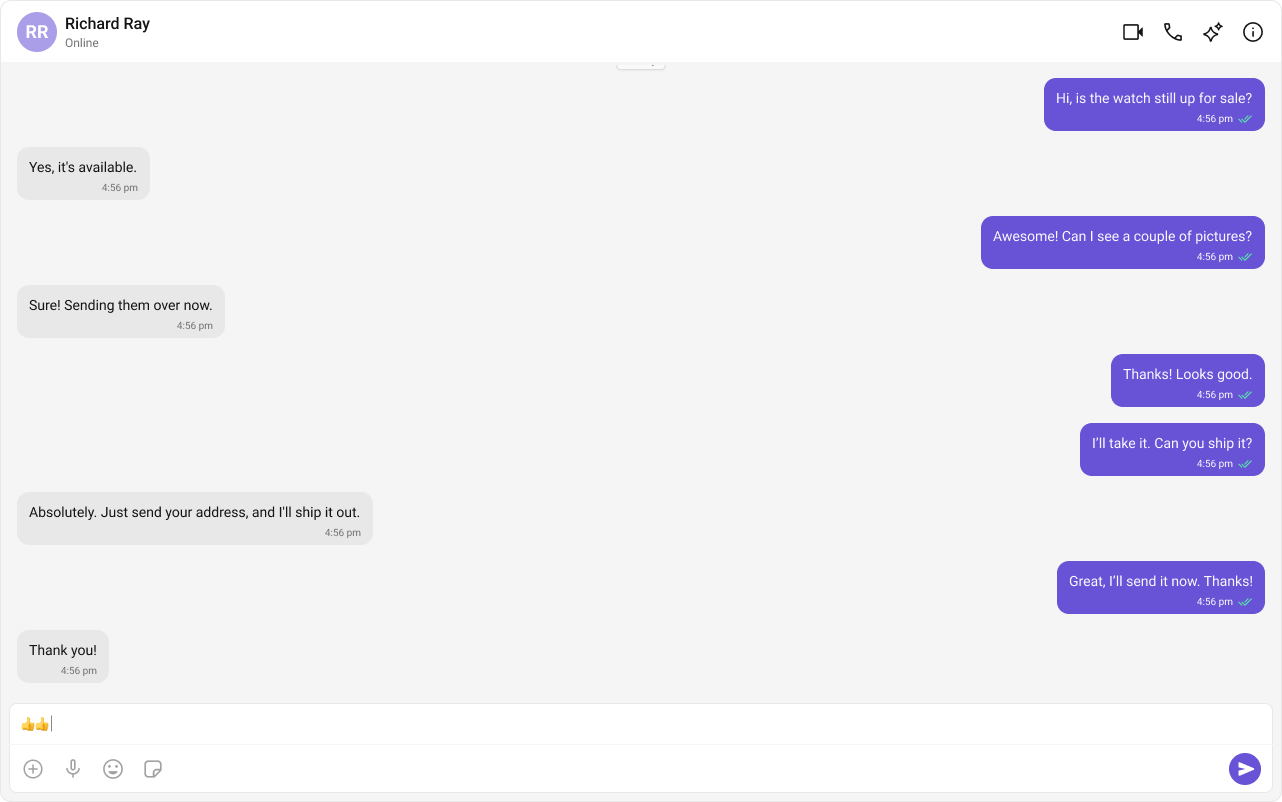
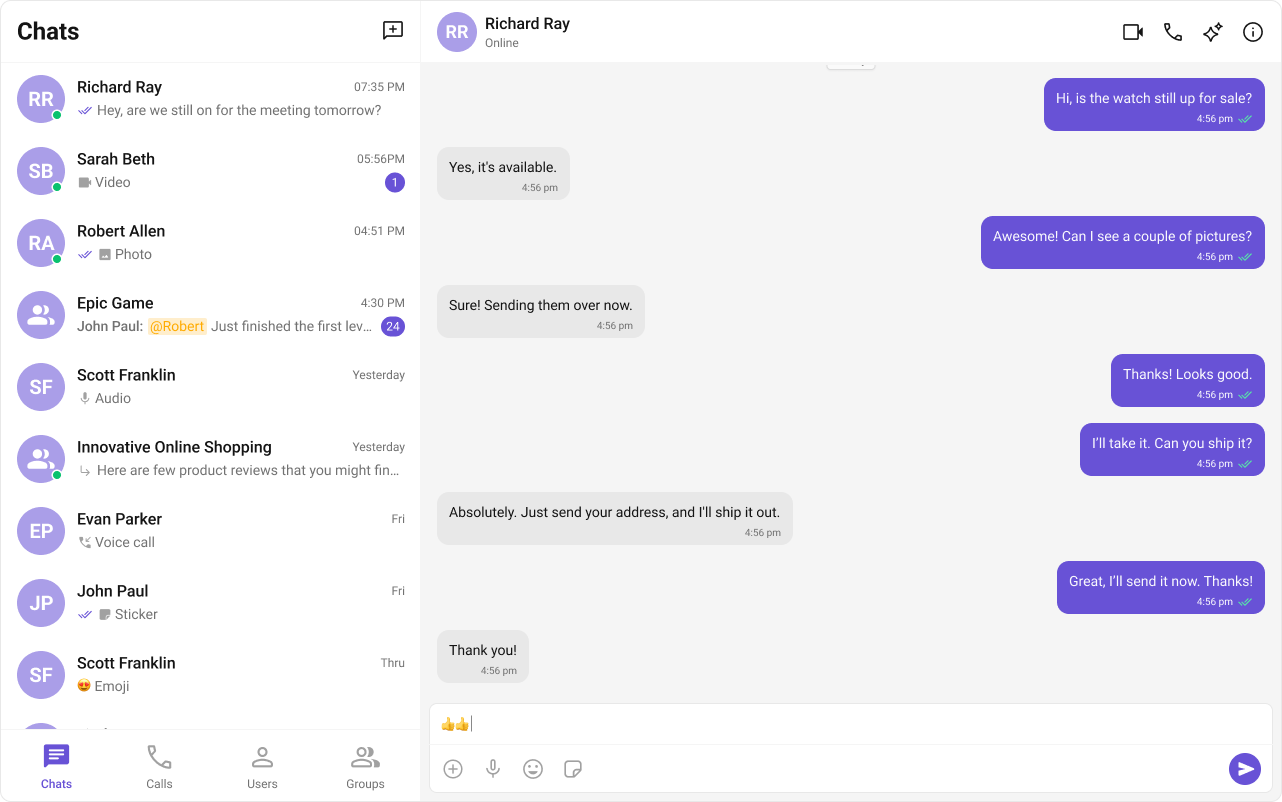
Field Value Package @cometchat/chat-uikit-reactPeer deps react >=18, react-dom >=18, rxjs ^7.8.1Init CometChatUIKit.init(UIKitSettings) — must resolve before login()Login CometChatUIKit.login("UID") — must resolve before rendering componentsOrder init() → login() → render. Breaking this order = blank screenAuth Key Dev/testing only. Use Auth Token in production SSR React Router SSR — use lazy import + mounted check for CometChat components CSS @import url("@cometchat/chat-uikit-react/css-variables.css"); in global CSSCalling Optional. Install @cometchat/calls-sdk-javascript to enable Other frameworks React.js · Next.js · Astro
Overview This guide walks you through integrating CometChat into a React Router application. You’ll learn how to configure routes with createBrowserRouter, implement nested routes for chat layouts, use useParams for dynamic chat routes, and handle programmatic navigation with useNavigate.
Time estimate: 15 minutes
Difficulty: IntermediateCometChat UI Kit requires browser APIs (window, WebSocket, document). In React Router, use lazy imports with a mounted check to ensure CometChat components only render client-side.
Prerequisites
Node.js v16+ and npm/yarn installed
CometChat Dashboard account with App ID, Auth Key, and RegionBasic familiarity with React Router v6+ concepts (routes, outlets, hooks)
Auth Key is for development only. In production, generate Auth Tokens server-side via the REST API and use loginWithAuthToken() Steps Step 1: Create a React Router Project npx create-react-router@latest my-chat-app cd my-chat-app
This creates a new React Router project with Vite as the build tool.
Step 2: Install the UI Kit npm install @cometchat/chat-uikit-react
yarn add @cometchat/chat-uikit-react
This installs the UI Kit and its dependency @cometchat/chat-sdk-javascript automatically.
Optional: Enable Voice/Video Calling
If you want voice/video calling capabilities, also install the Calls SDK: npm install @cometchat/calls-sdk-javascript
The UI Kit will automatically detect and enable calling features when this package is present. Step 3: Add CSS Import Add this line at the top of your global CSS file (e.g., app/app.css):
@import url ( "@cometchat/chat-uikit-react/css-variables.css" ); html , body { height : 100 % ; margin : 0 ; padding : 0 ; }
Without the CSS import, components will render with broken or missing styles. Without the height rules, the chat UI won’t fill the viewport.
Step 4: Create Constants File Create a constants file for your CometChat credentials:
app/lib/cometchat-constants.ts
export const COMETCHAT_CONSTANTS = { APP_ID: "APP_ID" , // Replace with your App ID REGION: "REGION" , // Replace with your Region (us, eu, in) AUTH_KEY: "AUTH_KEY" , // Replace with your Auth Key (dev only) };
Step 5: Create CometChat Provider Component Create a provider component that handles initialization and authentication:
app/components/CometChatProvider.tsx
import { useEffect , useState , ReactNode } from "react" ; import { CometChat } from "@cometchat/chat-sdk-javascript" ; import { CometChatUIKit , UIKitSettingsBuilder , } from "@cometchat/chat-uikit-react" ; import { COMETCHAT_CONSTANTS } from "~/lib/cometchat-constants" ; const UID = "cometchat-uid-1" ; // Replace with your actual UID interface CometChatProviderProps { children : ReactNode ; } export default function CometChatProvider ({ children } : CometChatProviderProps ) { const [ user , setUser ] = useState < CometChat . User | null >( null ); const [ isLoading , setIsLoading ] = useState ( true ); const [ error , setError ] = useState < string | null >( null ); useEffect (() => { const initCometChat = async () => { try { const UIKitSettings = new UIKitSettingsBuilder () . setAppId ( COMETCHAT_CONSTANTS . APP_ID ) . setRegion ( COMETCHAT_CONSTANTS . REGION ) . setAuthKey ( COMETCHAT_CONSTANTS . AUTH_KEY ) . subscribePresenceForAllUsers () . build (); await CometChatUIKit . init ( UIKitSettings ); console . log ( "CometChat UI Kit initialized successfully." ); const loggedInUser = await CometChatUIKit . getLoggedinUser (); if ( loggedInUser ) { setUser ( loggedInUser ); } else { const authenticatedUser = await CometChatUIKit . login ( UID ); console . log ( "Login Successful:" , authenticatedUser ); setUser ( authenticatedUser ); } } catch ( err ) { console . error ( "CometChat initialization/login failed:" , err ); setError ( "Failed to initialize chat. Please check your credentials." ); } finally { setIsLoading ( false ); } }; initCometChat (); }, []); if ( isLoading ) { return < div style = { { padding: "2rem" } } > Loading chat... </ div > ; } if ( error ) { return < div style = { { padding: "2rem" , color: "red" } } > { error } </ div > ; } if ( ! user ) { return < div style = { { padding: "2rem" } } > Login failed. Please check your credentials. </ div > ; } return <> { children } </> ; }
Key points:
All CometChat initialization happens inside useEffect (client-side only)
State gates rendering until authentication completes
Children only render after successful login
Set up your route configuration with nested routes for chat layouts:
import { type RouteConfig , index , route , layout } from "@react-router/dev/routes" ; export default [ index ( "routes/home.tsx" ), layout ( "routes/chat-layout.tsx" , [ route ( "chat" , "routes/chat.tsx" ), route ( "chat/:userId" , "routes/direct-chat.tsx" ), route ( "chat/group/:groupId" , "routes/group-chat.tsx" ), ]), ] satisfies RouteConfig ;
Step 7: Create Chat Layout with Outlet Create a layout component that wraps chat routes with the CometChat provider:
app/routes/chat-layout.tsx
import { Outlet } from "react-router" ; import CometChatProvider from "~/components/CometChatProvider" ; export default function ChatLayout () { return ( < CometChatProvider > < div style = { { width: "100%" , height: "100vh" } } > < Outlet /> </ div > </ CometChatProvider > ); }
Step 8: Create the Main Chat Route Create the main chat page with conversations and messages:
import { CometChatConversationsWithMessages } from "@cometchat/chat-uikit-react" ; export default function ChatPage () { return < CometChatConversationsWithMessages /> ; }
Run your app:
Navigate to /chat to see your chat interface.
Complete Example app/lib/cometchat-constants.ts
app/components/CometChatProvider.tsx
app/routes/chat-layout.tsx
app/routes/chat.tsx
app/app.css
export const COMETCHAT_CONSTANTS = { APP_ID: "APP_ID" , // Replace with your App ID REGION: "REGION" , // Replace with your Region (us, eu, in) AUTH_KEY: "AUTH_KEY" , // Replace with your Auth Key (dev only) };
import { useEffect , useState , ReactNode } from "react" ; import { CometChat } from "@cometchat/chat-sdk-javascript" ; import { CometChatUIKit , UIKitSettingsBuilder , } from "@cometchat/chat-uikit-react" ; import { COMETCHAT_CONSTANTS } from "~/lib/cometchat-constants" ; const UID = "cometchat-uid-1" ; // Replace with your actual UID interface CometChatProviderProps { children : ReactNode ; } export default function CometChatProvider ({ children } : CometChatProviderProps ) { const [ user , setUser ] = useState < CometChat . User | null >( null ); const [ isLoading , setIsLoading ] = useState ( true ); const [ error , setError ] = useState < string | null >( null ); useEffect (() => { const initCometChat = async () => { try { const UIKitSettings = new UIKitSettingsBuilder () . setAppId ( COMETCHAT_CONSTANTS . APP_ID ) . setRegion ( COMETCHAT_CONSTANTS . REGION ) . setAuthKey ( COMETCHAT_CONSTANTS . AUTH_KEY ) . subscribePresenceForAllUsers () . build (); await CometChatUIKit . init ( UIKitSettings ); console . log ( "CometChat UI Kit initialized successfully." ); const loggedInUser = await CometChatUIKit . getLoggedinUser (); if ( loggedInUser ) { setUser ( loggedInUser ); } else { const authenticatedUser = await CometChatUIKit . login ( UID ); console . log ( "Login Successful:" , authenticatedUser ); setUser ( authenticatedUser ); } } catch ( err ) { console . error ( "CometChat initialization/login failed:" , err ); setError ( "Failed to initialize chat. Please check your credentials." ); } finally { setIsLoading ( false ); } }; initCometChat (); }, []); if ( isLoading ) { return < div style = { { padding: "2rem" } } > Loading chat... </ div > ; } if ( error ) { return < div style = { { padding: "2rem" , color: "red" } } > { error } </ div > ; } if ( ! user ) { return < div style = { { padding: "2rem" } } > Login failed. Please check your credentials. </ div > ; } return <> { children } </> ; }
import { Outlet } from "react-router" ; import CometChatProvider from "~/components/CometChatProvider" ; export default function ChatLayout () { return ( < CometChatProvider > < div style = { { width: "100%" , height: "100vh" } } > < Outlet /> </ div > </ CometChatProvider > ); }
import { CometChatConversationsWithMessages } from "@cometchat/chat-uikit-react" ; export default function ChatPage () { return < CometChatConversationsWithMessages /> ; }
@import url ( "@cometchat/chat-uikit-react/css-variables.css" ); html , body { height : 100 % ; margin : 0 ; padding : 0 ; } * { box-sizing : border-box ; }
React Router-Specific Considerations Route Configuration with createBrowserRouter React Router v6+ uses createBrowserRouter for route configuration. Structure your chat routes as nested routes under a layout:
import { createBrowserRouter } from "react-router-dom" ; import ChatLayout from "./routes/chat-layout" ; import ChatPage from "./routes/chat" ; import DirectChatPage from "./routes/direct-chat" ; export const router = createBrowserRouter ([ { path: "/" , element: < HomePage /> , }, { path: "/chat" , element: < ChatLayout /> , children: [ { index: true , element: < ChatPage /> }, { path: ":userId" , element: < DirectChatPage /> }, { path: "group/:groupId" , element: < GroupChatPage /> }, ], }, ]);
Nested Routes for Chat Layouts Use nested routes to share the CometChat provider across chat pages:
/chat              → ChatLayout → ChatPage (conversation list + messages)
/chat/:userId      → ChatLayout → DirectChatPage (direct message)
/chat/group/:groupId → ChatLayout → GroupChatPage (group chat)
The ChatLayout component wraps all chat routes with CometChatProvider, ensuring initialization happens once.
useParams for Dynamic Chat Routes Use useParams to extract route parameters for direct chats:
app/routes/direct-chat.tsx
import { useEffect , useState } from "react" ; import { useParams } from "react-router" ; import { CometChat } from "@cometchat/chat-sdk-javascript" ; import { CometChatMessages } from "@cometchat/chat-uikit-react" ; export default function DirectChatPage () { const { userId } = useParams <{ userId : string }>(); const [ user , setUser ] = useState < CometChat . User | null >( null ); const [ loading , setLoading ] = useState ( true ); useEffect (() => { if ( ! userId ) return ; CometChat . getUser ( userId ) . then ( setUser ) . catch ( console . error ) . finally (() => setLoading ( false )); }, [ userId ]); if ( loading ) return < div > Loading user... </ div > ; if ( ! user ) return < div > User not found </ div > ; return ( < div style = { { width: "100%" , height: "100%" } } > < CometChatMessages user = { user } /> </ div > ); }
useNavigate for Programmatic Navigation Use useNavigate to navigate to chat routes programmatically:
app/components/UserList.tsx
import { useNavigate } from "react-router" ; export default function UserList ({ users } : { users : CometChat . User [] }) { const navigate = useNavigate (); const handleUserClick = ( userId : string ) => { navigate ( `/chat/ ${ userId } ` ); }; return ( < ul > { users . map (( user ) => ( < li key = { user . getUid () } onClick = { () => handleUserClick ( user . getUid ()) } > { user . getName () } </ li > )) } </ ul > ); }
Common Patterns Conversation List with Route-Based Message View Build a two-panel layout where selecting a conversation navigates to a route:
import { useNavigate } from "react-router" ; import { CometChat } from "@cometchat/chat-sdk-javascript" ; import { CometChatConversations , CometChatMessages , } from "@cometchat/chat-uikit-react" ; import { useState } from "react" ; export default function ChatPage () { const navigate = useNavigate (); const [ activeConversation , setActiveConversation ] = useState < CometChat . Conversation | null >( null ); const handleConversationClick = ( conversation : CometChat . Conversation ) => { setActiveConversation ( conversation ); const conversationWith = conversation . getConversationWith (); if ( conversationWith instanceof CometChat . User ) { navigate ( `/chat/ ${ conversationWith . getUid () } ` ); } else if ( conversationWith instanceof CometChat . Group ) { navigate ( `/chat/group/ ${ conversationWith . getGuid () } ` ); } }; return ( < div style = { { display: "flex" , height: "100%" } } > < div style = { { width: "350px" , borderRight: "1px solid #eee" } } > < CometChatConversations onItemClick = { handleConversationClick } /> </ div > < div style = { { flex: 1 } } > { activeConversation ? ( < CometChatMessages user = { activeConversation . getConversationWith () instanceof CometChat . User ? ( activeConversation . getConversationWith () as CometChat . User ) : undefined } group = { activeConversation . getConversationWith () instanceof CometChat . Group ? ( activeConversation . getConversationWith () as CometChat . Group ) : undefined } /> ) : ( < div style = { { padding: "2rem" , textAlign: "center" , color: "#666" } } > Select a conversation to start chatting </ div > ) } </ div > </ div > ); }
Direct Chat Routes (/chat/:userId) Create a dedicated route for direct messaging:
app/routes/direct-chat.tsx
import { useEffect , useState } from "react" ; import { useParams , useNavigate } from "react-router" ; import { CometChat } from "@cometchat/chat-sdk-javascript" ; import { CometChatMessages } from "@cometchat/chat-uikit-react" ; export default function DirectChatPage () { const { userId } = useParams <{ userId : string }>(); const navigate = useNavigate (); const [ user , setUser ] = useState < CometChat . User | null >( null ); const [ loading , setLoading ] = useState ( true ); const [ error , setError ] = useState < string | null >( null ); useEffect (() => { if ( ! userId ) { setError ( "No user ID provided" ); setLoading ( false ); return ; } CometChat . getUser ( userId ) . then (( fetchedUser ) => { setUser ( fetchedUser ); setLoading ( false ); }) . catch (( err ) => { console . error ( "Failed to fetch user:" , err ); setError ( "User not found" ); setLoading ( false ); }); }, [ userId ]); if ( loading ) { return < div style = { { padding: "2rem" } } > Loading user... </ div > ; } if ( error || ! user ) { return ( < div style = { { padding: "2rem" } } > < p > { error || "User not found" } </ p > < button onClick = { () => navigate ( "/chat" ) } > Back to conversations </ button > </ div > ); } return ( < div style = { { width: "100%" , height: "100%" } } > < CometChatMessages user = { user } /> </ div > ); }
Tab-Based Navigation with Routes Use React Router for tab navigation between chat features:
import { NavLink , Outlet } from "react-router" ; export default function ChatTabs () { const tabStyle = { padding: "0.75rem 1.5rem" , textDecoration: "none" , color: "#666" , borderBottom: "2px solid transparent" , }; const activeStyle = { ... tabStyle , color: "#3b82f6" , borderBottomColor: "#3b82f6" , }; return ( < div style = { { display: "flex" , flexDirection: "column" , height: "100%" } } > < nav style = { { display: "flex" , borderBottom: "1px solid #eee" } } > < NavLink to = "/chat" end style = { ({ isActive }) => ( isActive ? activeStyle : tabStyle ) } > Chat </ NavLink > < NavLink to = "/chat/users" style = { ({ isActive }) => ( isActive ? activeStyle : tabStyle ) } > Users </ NavLink > < NavLink to = "/chat/calls" style = { ({ isActive }) => ( isActive ? activeStyle : tabStyle ) } > Calls </ NavLink > </ nav > < div style = { { flex: 1 } } > < Outlet /> </ div > </ div > ); }
import { type RouteConfig , route , layout } from "@react-router/dev/routes" ; export default [ layout ( "routes/chat-layout.tsx" , [ layout ( "routes/chat-tabs.tsx" , [ route ( "chat" , "routes/chat.tsx" ), route ( "chat/users" , "routes/users.tsx" ), route ( "chat/calls" , "routes/calls.tsx" ), ]), ]), ] satisfies RouteConfig ;
UIKitSettingsBuilder Options const UIKitSettings = new UIKitSettingsBuilder () . setAppId ( COMETCHAT_CONSTANTS . APP_ID ) . setRegion ( COMETCHAT_CONSTANTS . REGION ) . setAuthKey ( COMETCHAT_CONSTANTS . AUTH_KEY ) . subscribePresenceForAllUsers () // Subscribe to presence for all users . subscribePresenceForFriends () // Or subscribe only for friends . subscribePresenceForRoles ([ "admin" ]) // Or subscribe for specific roles . autoEstablishSocketConnection ( true ) // Auto-connect WebSocket (default: true) . build ();
Production Authentication In production, generate Auth Tokens server-side and use loginWithAuthToken(): // Server-side route handler (React Router v7 with server functions) export async function action ({ request } : { request : Request }) { const { userId } = await request . json (); // Generate auth token via CometChat REST API const response = await fetch ( `https:// ${ process . env . COMETCHAT_APP_ID } .api- ${ process . env . COMETCHAT_REGION } .cometchat.io/v3/users/ ${ userId } /auth_tokens` , { method: "POST" , headers: { "Content-Type" : "application/json" , "apiKey" : process . env . COMETCHAT_API_KEY ! , }, } ); const data = await response . json (); return { authToken: data . data . authToken }; }
app/components/CometChatProvider.tsx
// In your provider component const response = await fetch ( "/api/auth" , { method: "POST" , body: JSON . stringify ({ userId: currentUserId }), }); const { authToken } = await response . json (); await CometChatUIKit . loginWithAuthToken ( authToken );
Lazy Loading Chat Components Use React Router’s lazy loading for better initial load performance: import { type RouteConfig , route , layout } from "@react-router/dev/routes" ; export default [ layout ( "routes/chat-layout.tsx" , [ route ( "chat" , "routes/chat.tsx" ), ]), ] satisfies RouteConfig ;
React Router automatically code-splits route components, so the CometChat bundle only loads when users navigate to chat routes. Common Issues init() must resolve before you call login(). If you call login() before init completes, it will fail silently. Note that init() may return undefined if settings are invalid.
Issue Solution Blank screen after navigation Ensure CometChat is initialized before rendering components; use state to gate rendering Route params undefined Check that route is configured correctly with :paramName syntax ”Cannot read property of undefined” on user Verify CometChat.getUser() resolved before accessing user properties Missing styles Add @import url("@cometchat/chat-uikit-react/css-variables.css"); to your global CSS ”App ID not found” error Verify your App ID, Region, and Auth Key match your CometChat Dashboard Components not filling viewport Add height: 100% to html, body in CSS and ensure parent containers have height Navigation not updating chat Use useEffect with route params as dependency to refetch data on navigation
For more troubleshooting help, see the Troubleshooting Guide or contact CometChat Support .
Next Steps