

AI Agent Component Spec
AI Agent Component Spec
Overview
The AI Assistant Chat component provides a complete AI conversation interface. It includes streaming responses, suggested prompts, chat history, and the ability to start new conversations. Pass aCometChat.User representing your AI agent to get started.
Time estimate: 15 minutesDifficulty: Intermediate
Prerequisites
- React.js integration completed
- AI Assistant guide reviewed
- AI agent user created in CometChat dashboard
Steps
Step 1: Fetch the AI agent and render the chat
Get your AI agent user and display the chat interface: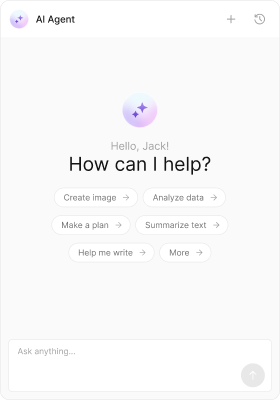
Step 2: Add suggested prompts
Provide quick-start suggestions for users:Step 3: Enable chat history
Let users continue previous conversations:Step 4: Add navigation controls
Show back and close buttons for panel navigation:Step 5: Create a minimal assistant
Remove chrome for an embedded experience:Step 6: Add tool/function calling
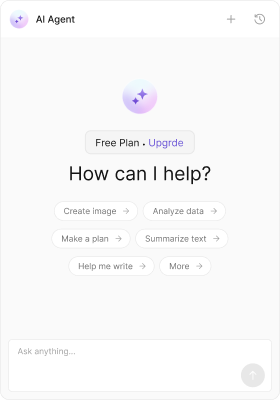
Enable the AI to execute functions during conversations:Step 7: Customize the empty state
Personalize the greeting and intro message:- TypeScript
- CSS
Complete Example
Advanced: Custom message templates
Advanced: Custom message templates
Customize how messages render in the AI chat:
Common Issues
| Issue | Solution |
|---|---|
| Chat not loading | Verify AI agent UID exists in CometChat dashboard |
| Streaming not working | Check AI features are enabled for your app |
| Tools not executing | Ensure tool names match your AI agent configuration |