

AI Agent Component Spec
AI Agent Component Spec
Overview
CometChat UI Kit includes built-in support for extensions that add interactive features to your chat. Extensions are activated from the CometChat Dashboard and auto-integrate into UI Kit components. Time estimate: 5 minutesDifficulty: Beginner
Prerequisites
- React.js integration completed
- Access to CometChat Dashboard
Steps
Step 1: Access the Dashboard
- Log in to CometChat Dashboard
- Select your app
- Navigate to Extensions in the sidebar
Step 2: Enable extensions
Toggle on the extensions you want to use. They auto-integrate into the UI Kit.After enabling an extension, ensure your app calls
CometChatUIKit.init() and CometChatUIKit.login() for the extension to activate.Available Extensions
User Experience
Link Preview
Displays a summary (title, description, thumbnail) for URLs shared in chat.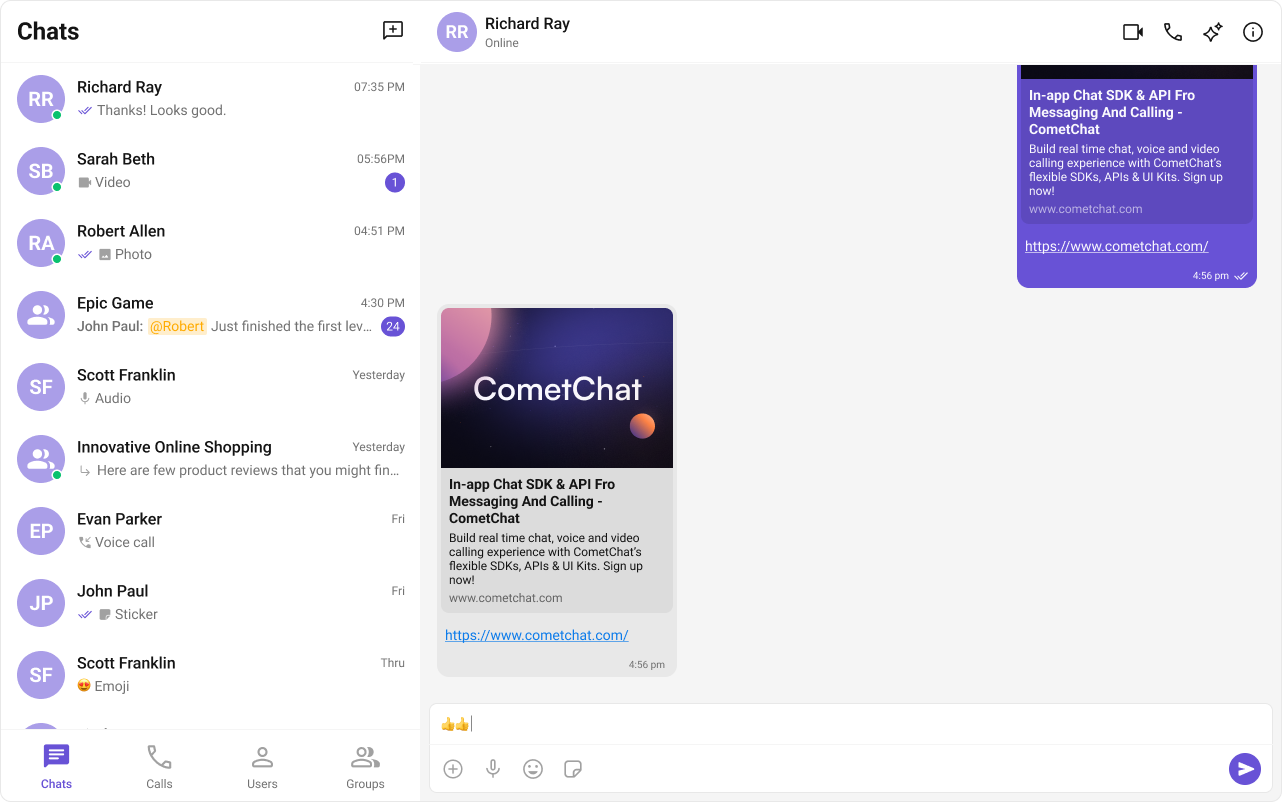
CometChatMessageList.
Thumbnail Generation
Creates smaller preview images for shared images, reducing bandwidth.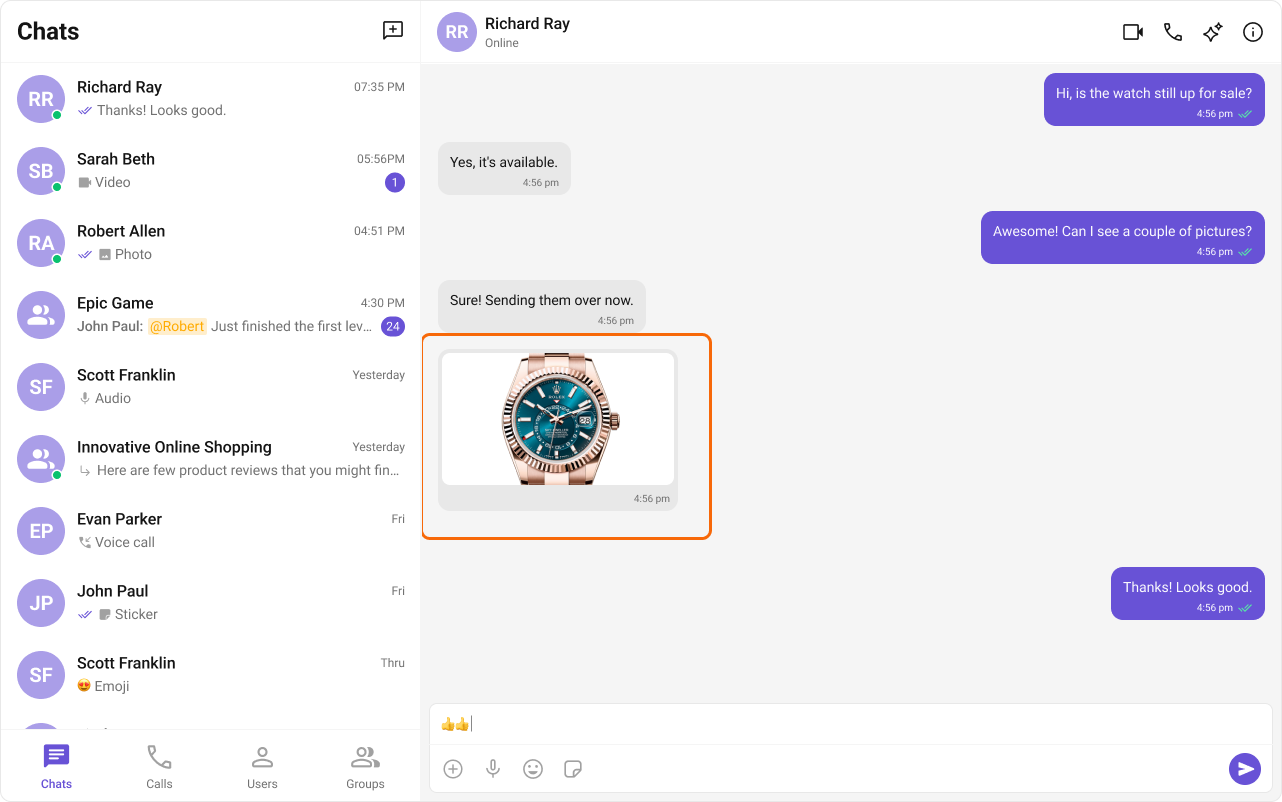
CometChatMessageList.
Message Shortcuts
Sends predefined messages using short codes (e.g.,!hb expands to Happy birthday!).
Pin Message
Pins important messages in a conversation for easy access.Save Message
Bookmarks messages for later reference. Saved messages are private to the user.Voice Transcription
Converts audio messages to text.User Engagement
Stickers
Sends pre-designed stickers in chat.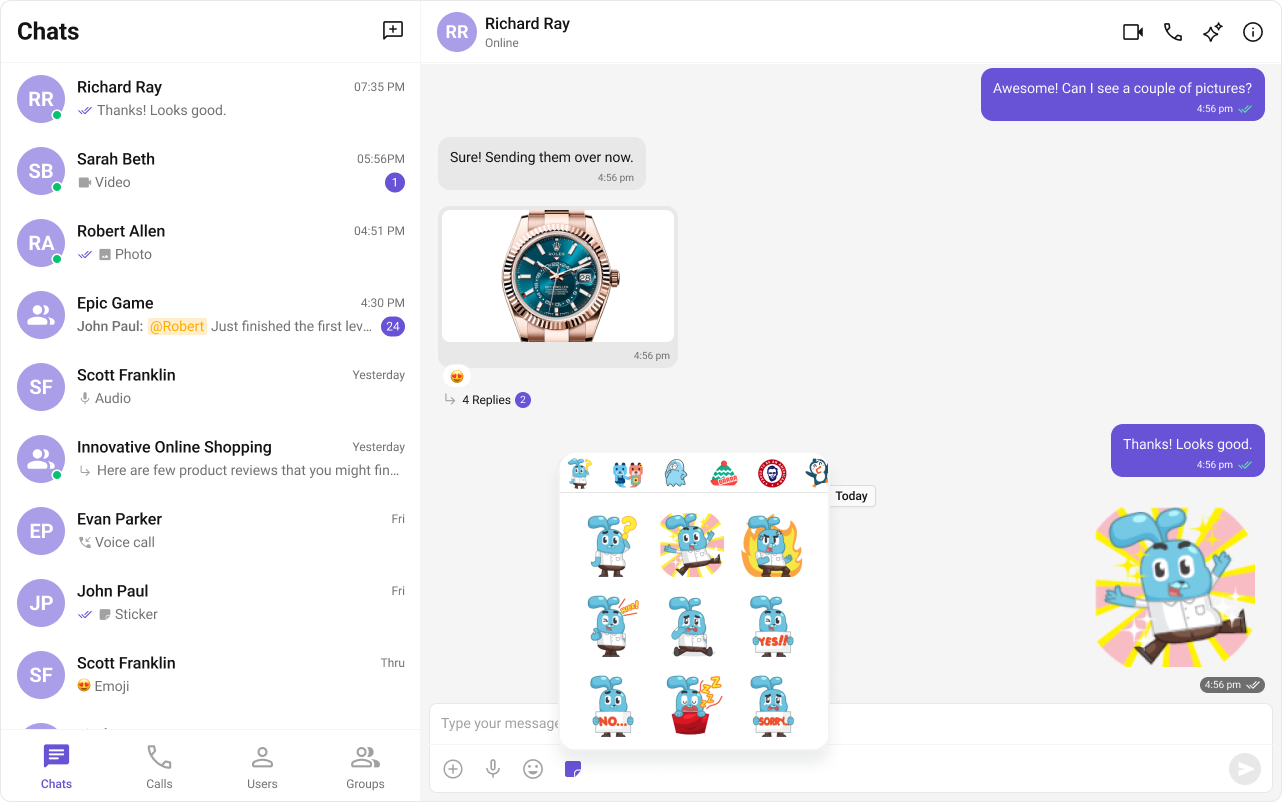
CometChatMessageComposer.
Polls
Creates polls in group discussions with predefined answer options.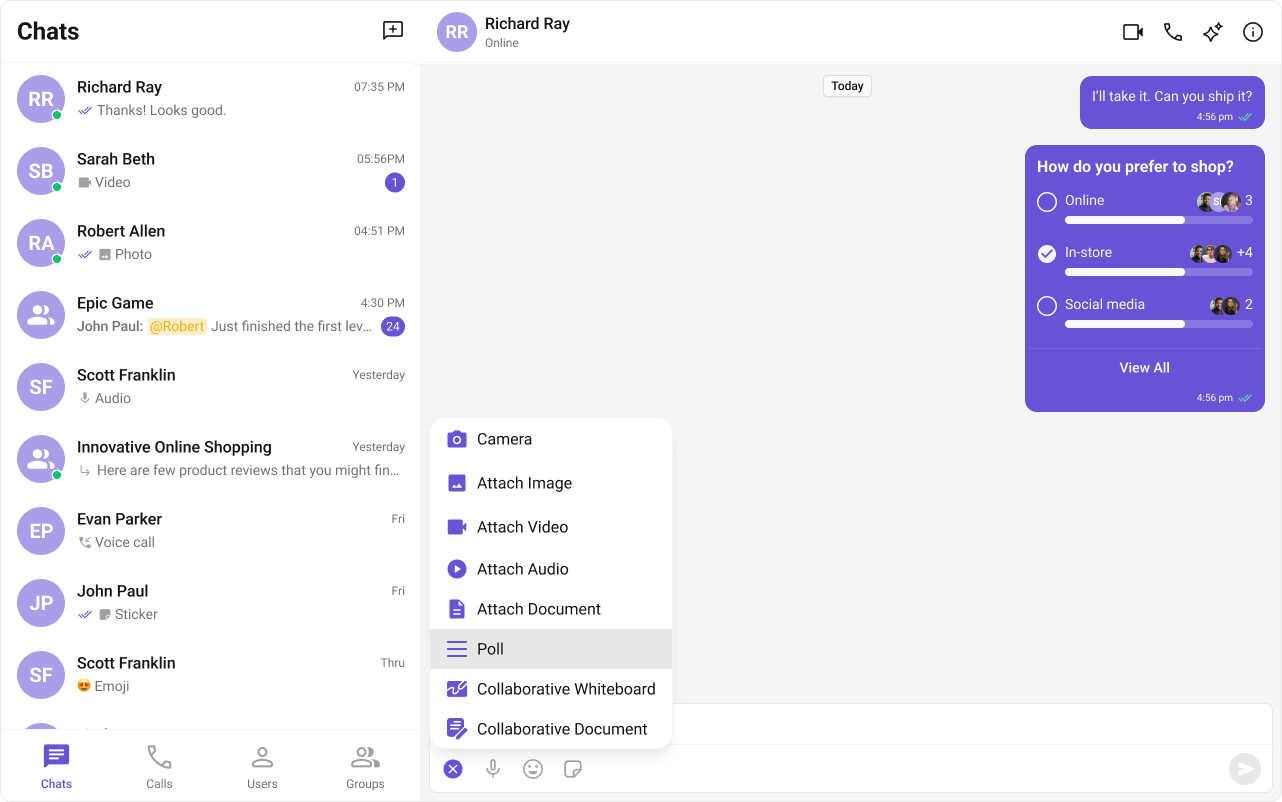
CometChatMessageComposer action sheet.
Message Translation
Translates messages into the local locale.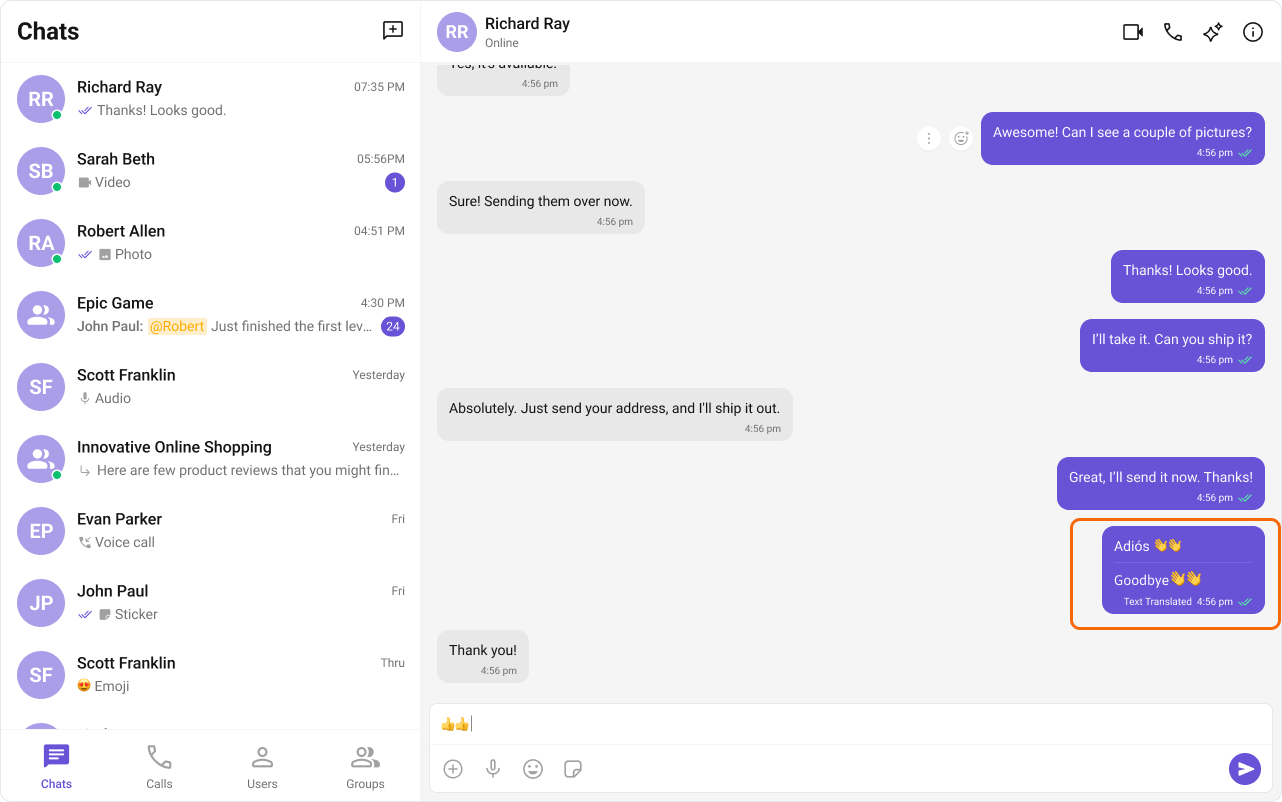
CometChatMessageList action sheet.
Giphy / Tenor
Search and share GIFs from Giphy or Tenor.Reminders
Sets reminders for messages. A bot sends a notification when due.Collaboration
Collaborative Whiteboard
Real-time shared whiteboard for drawing and brainstorming.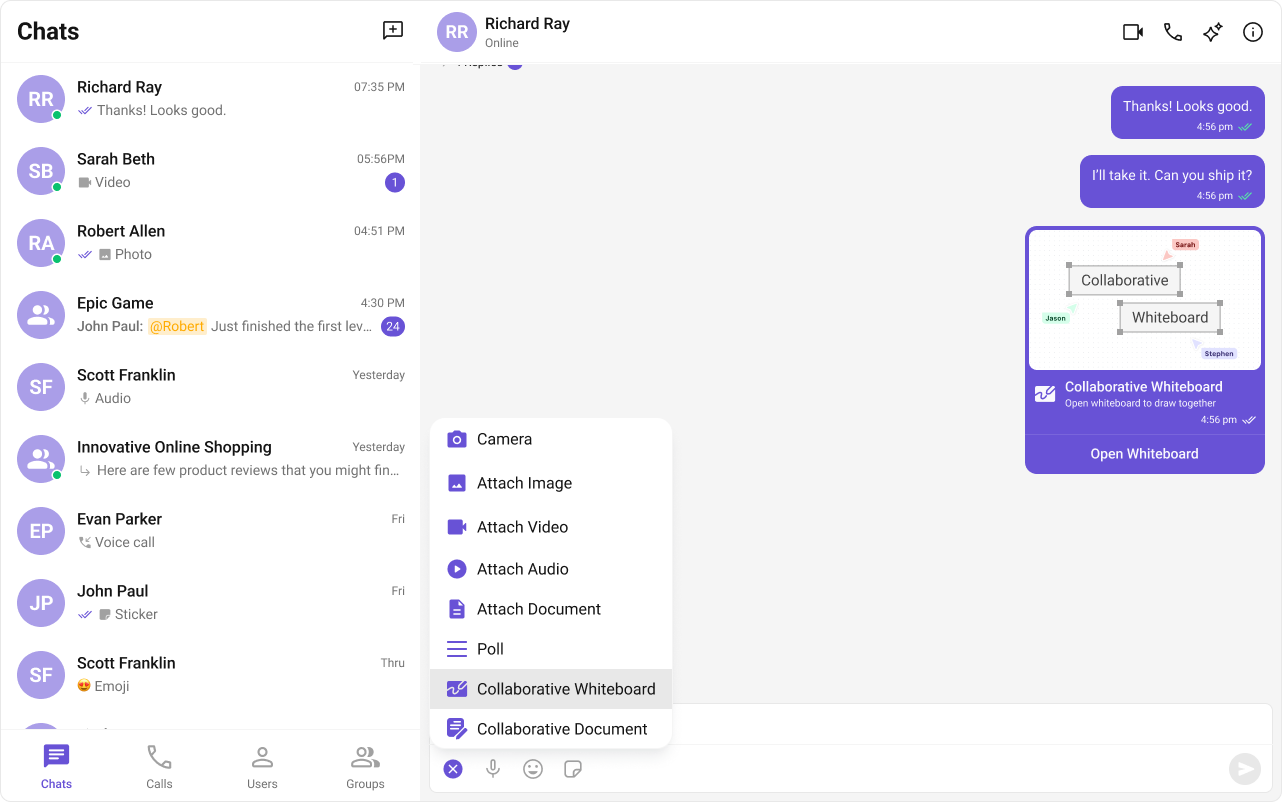
CometChatMessageComposer action sheet.
Collaborative Document
Shared document editing for real-time collaboration.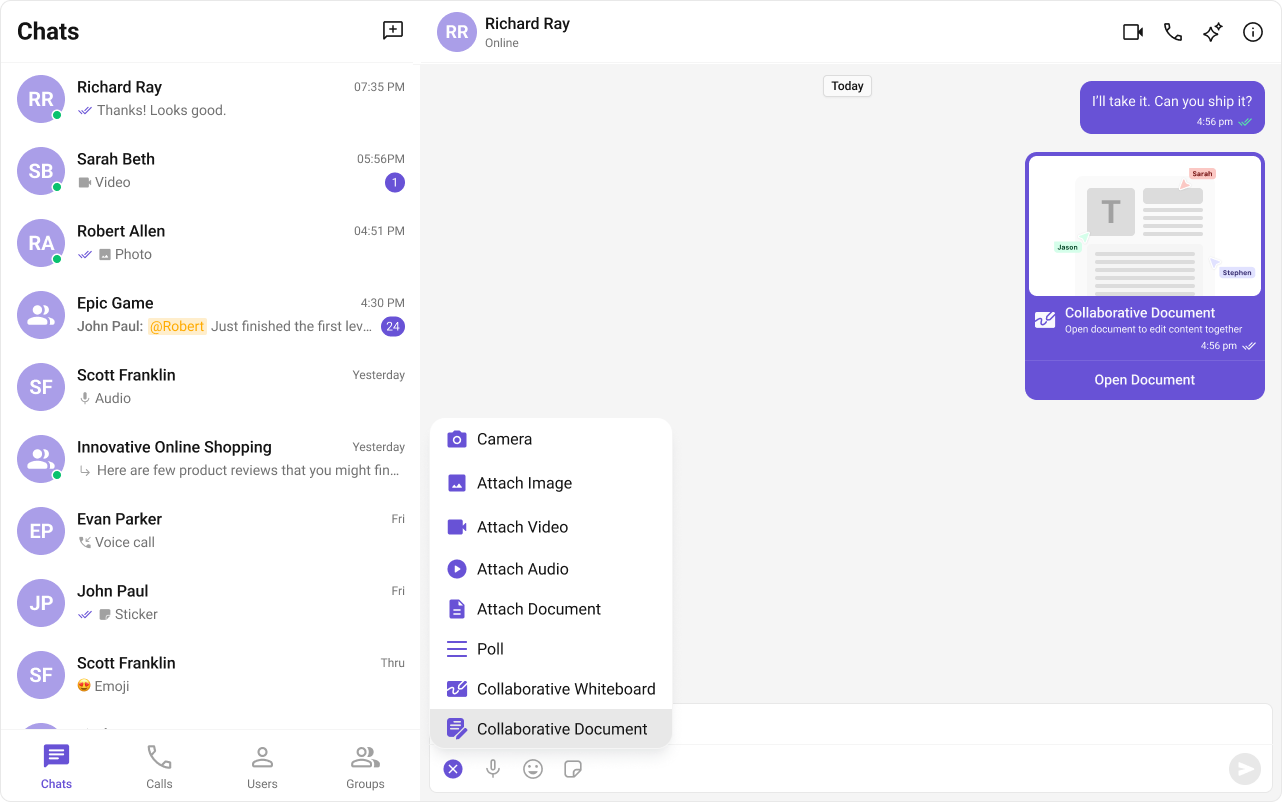
CometChatMessageComposer action sheet.
Security
Disappearing Messages
Messages auto-delete after a specified interval. Works for 1:1 and group messages.Smart Chat Features
These AI-powered features require additional configuration:| Feature | Description |
|---|---|
| Conversation Starter | AI-generated opening messages for new chats |
| Smart Replies | AI-generated response suggestions |
| Conversation Summary | AI-generated recap of long conversations |
Complete Example
No code changes needed! Extensions auto-integrate after enabling in the Dashboard:Extension Integration Points
| Extension | Component | Location |
|---|---|---|
| Stickers | MessageComposer | Attachment menu |
| Polls | MessageComposer | Action sheet |
| Whiteboard | MessageComposer | Action sheet |
| Document | MessageComposer | Action sheet |
| Translation | MessageList | Message action sheet |
| Link Preview | MessageList | Message bubble |
| Thumbnails | MessageList | Image messages |
Common Issues
| Issue | Solution |
|---|---|
| Extension not showing | Verify it’s enabled in Dashboard |
| Extension not working | Check init() and login() completed |
| Missing action in menu | Some extensions require specific message types |